(now) I'm able to schedule my clients and look at my schedule anytime, anywhere
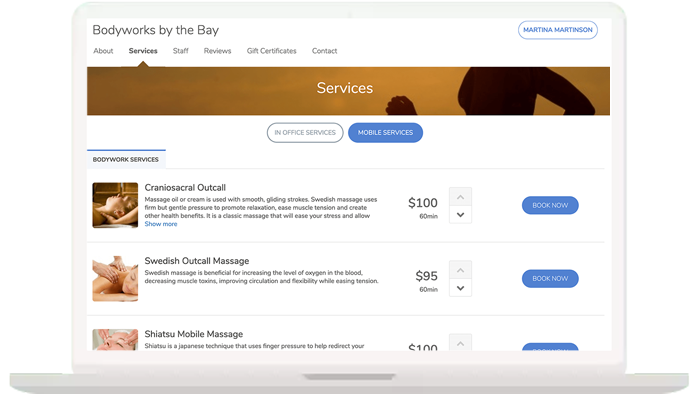
In the past, accepting online bookings for outcalls has been virtually impossible. There were just too many ways that could go wrong… You can feel secure accepting online booking for outcalls through MassageBook. You specify the exact rules for who, where and when you’ll allow to book online so you can spend less time on the phone and more time working on clients.
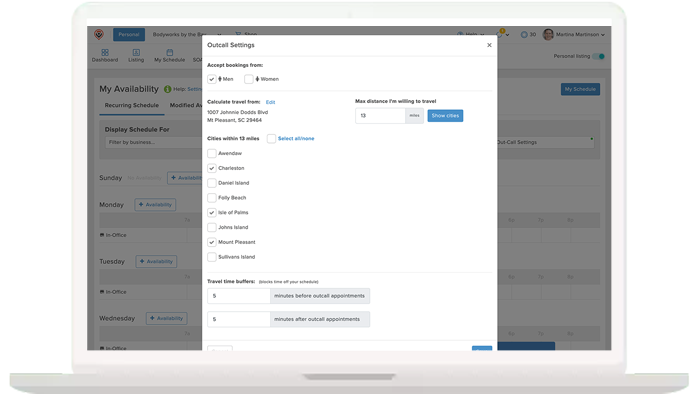
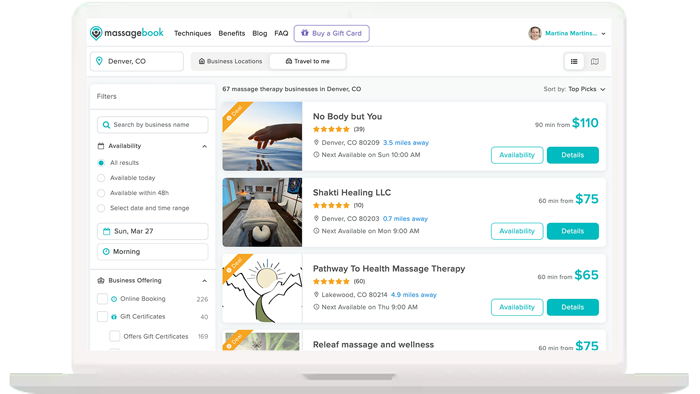
Tell MassageBook exactly how far you’re willing to drive and which cities in that range you’ll accept appointments in. It’s just one of the cool features that’s unique to MassageBook. Public visitors to MassageBook must enter their service address, at which point they’ll only see outcall providers who will come to their address.
If you only wish to offer online booking for outcalls to existing clients – you can! Outcall services are set up for your business in MassageBook, displayed on your business profile, and can easily be selected and booked online or by you directly in your MassageBook schedule.
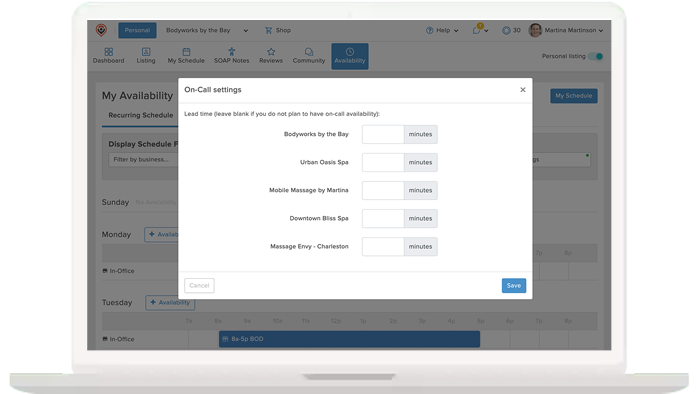
You can easily manage your travel schedule by configuring your booking software to automatically add travel buffers between outcall appointments. Instead of manually guessing how long a drive will take or risking running late, you can set predefined downtime blocks that account for packing up your massage table, navigating traffic, and setting up at the next location.
Yes, requiring a deposit or full upfront payment is highly recommended to protect your time, gas, and travel expenses. Last-minute cancellations or no-shows are especially costly for mobile massages because you have already invested physical energy and vehicle wear and tear to drive to the client's location.
By enforcing a prepayment or credit-card-on-file policy through your booking software, you will always be compensated for your travel even if the client cancels at the door. This provides financial protection for your business and strongly encourages clients to honor their scheduled appointment times.
You can manage travel fees by either rolling the extra cost into a higher overall service price or by explicitly listing a separate travel surcharge on your booking menu. Alternatively, you can explicitly state in your booking policies that a flat travel fee will be added to the final invoice depending on the client's distance from your home base. Setting clear pricing expectations upfront prevents awkward conversations at checkout.
With MassageBook, you can create travel fee add-ons for different distances that clients can select during checkout to ensure that you’re properly compensated for your travel.
Yes, you can easily run a hybrid massage practice by customizing your schedule to separate your in-studio hours from your outcall availability.
Managing two different types of service locations requires clear boundaries so you aren't forced to frantically rush from a home visit back to your clinic in the middle of the day. Most therapists handle this by dedicating specific days of the week to mobile massage while reserving the rest of the week for in-studio sessions. Use your booking software to set availability rules, ensuring clients only see the outcall option on the specific days you are willing to travel.
Get started for free and create your free MassageBook website in minutes. Our team is here to help you transition from another service or from a paper calendar. Select the plan that works for your massage business now and MassageBook will grow with you.
(now) I'm able to schedule my clients and look at my schedule anytime, anywhere