

Alex Messier
Good Carma Mobile Massage
It's the single greatest thing I've done for my business as far as growth
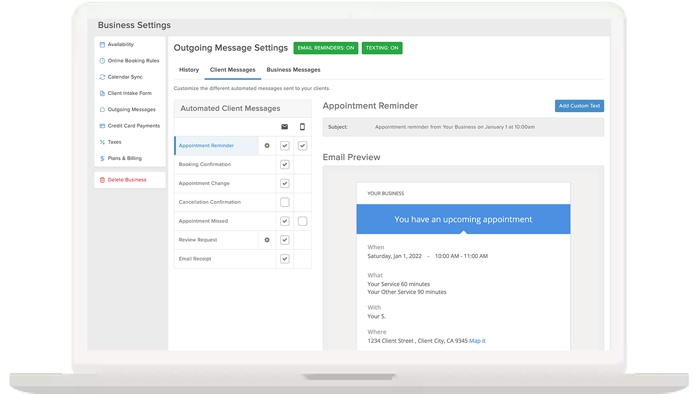
Reduce no shows with email confirmations and text and email reminders. Clients aren’t perfect. Even the best of us have times when we just forget about appointments. MassageBook has a list of features designed to politely yet effectively make sure your clients won’t stand you up.
.png)
Optional
No matter if you make the appointment or they do, they’ll get an email with the details of their appointment along with a button that will automatically place the appointment on their computer or phone calendar.
* Note: This feature may be selectively turned on or off.
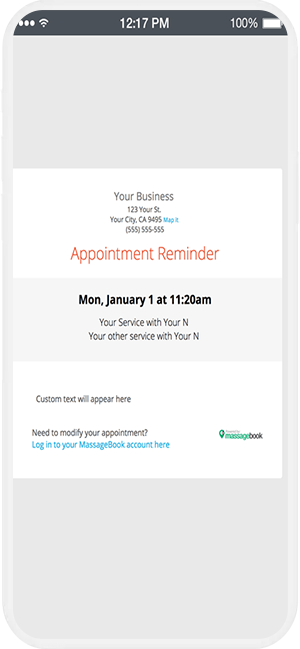
The day before a clients’ appointment they’ll get a polite email reminding them of their pending appointment along with the details and the address and contact information of your business.
Care to know when something on your schedule has changed? MassageBook sends notification emails to those people affected by the schedule change – as well as the business owner in the case of a multi-staff practice. Prefer not to see these emails? Just turn them off.
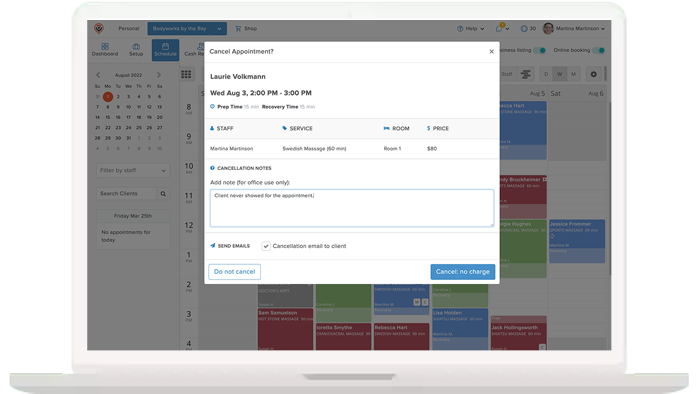
If a client should miss their appointment time or cancel within the boundaries of your cancellation policy, you may mark them as a “No Show” or as “Cancelled”. In addition to tracking client history, you may determine whether to charge the client a cancellation/no-show fee or not.
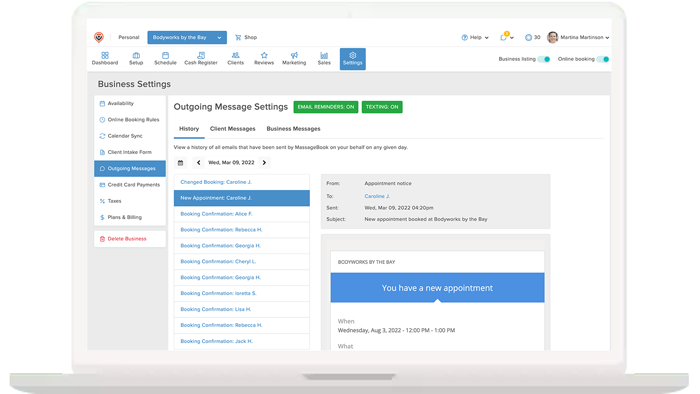
How do you know emails are being sent to your clients? Simple – just cruise over to the email control center and see exactly which email went to which client and when. Here you’ll also be able to turn certain emails on and off. Even control freaks can breathe deeply knowing there won’t be any mysteries.
Premium
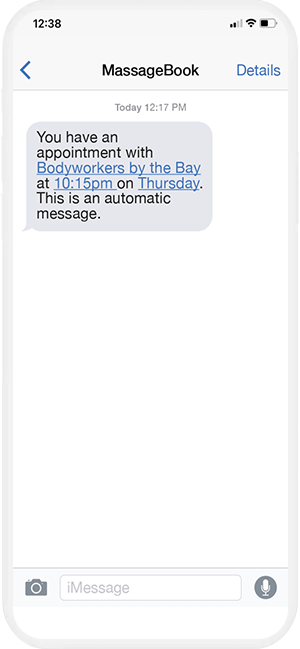
Client no-shows cost you money and disrupt your schedule. And how about those awkward follow up conversations with the client? Not fun. MassageBook SMS text reminders are sent to your clients automatically in advance of their appointments. Both you and your clients will love the result!

Get started for free and create your free MassageBook website in minutes. Our team is here to help you transition from another service or from a paper calendar. Select the plan that works for your massage business now and MassageBook will grow with you.
It's the single greatest thing I've done for my business as far as growth
